Tracking & Prompts
Choosing AI engines
CitedSpy tracks your brand across multiple AI engines. Each engine has different behavior and audience.
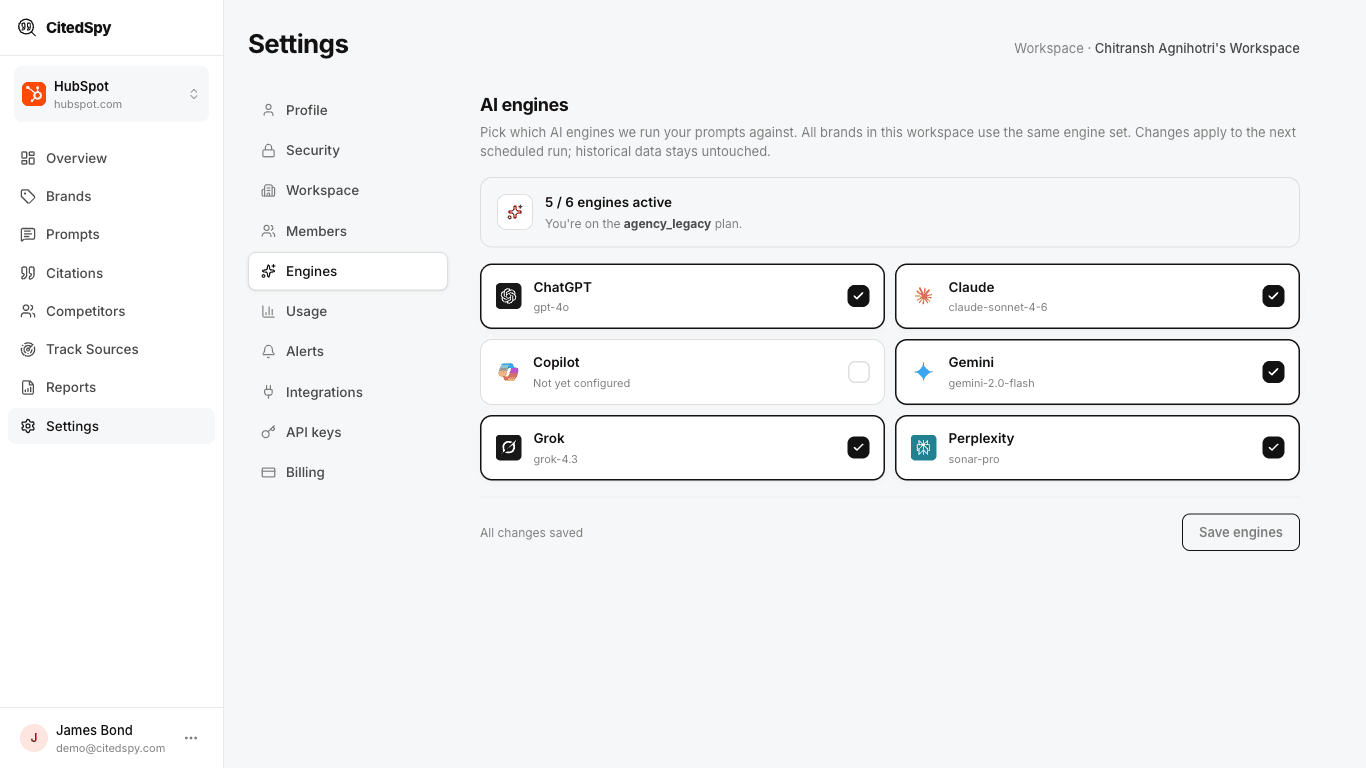
Available engines
- ChatGPT - the most widely used AI assistant (900M+ weekly users). Uses web search for real-time results.
- Perplexity - an AI-powered search engine that always includes source citations.
- Gemini - Google's AI assistant with Google Search grounding.
- Claude - Anthropic's AI assistant with web search capability.
- Grok - xAI's assistant, with live results from X and the web.
- Copilot - Microsoft's assistant in Bing and Edge (rolling out - it may appear as "not yet configured").
Selecting engines
Engines are chosen at the workspace level, so every brand and prompt in the workspace is tracked across the same set. To change them:
- Go to Settings > Engines.
- Toggle each engine on or off.
- Click Save engines.
How many you can track
How many engines you can run at once depends on your plan:
| Plan | Engines |
|---|---|
| Trial | 4 |
| Solo | 4 |
| Growth | 4 |
| Pro | 4 |
If you hit the limit, deselect an engine before enabling another, or upgrade your plan. When you have to choose, prioritize the engines your buyers actually use - ChatGPT and Perplexity carry the highest traffic.